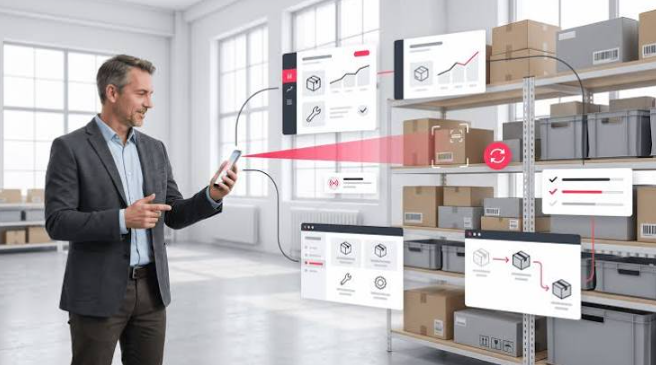

Inventory work does not always happen at a desk. Employees receive deliveries in a stockroom, count products in a warehouse, check supplies on a shop floor, move items between locations, and update quantities while serving customers. When every task requires handwritten notes or a return to one office computer, small errors can quickly become larger inventory problems.
Cloud-based mobile inventory software gives businesses a practical way to look up products, scan barcodes, check quantities, and record transactions where the work takes place. A system such as Skyware Inventory provides web-based inventory access for small and mid-sized businesses, with desktop, tablet, phone, and Android support. The right system can help reduce duplicate work, improve visibility, and make stock information easier to maintain.
Mobile software does not replace good procedures or accurate product records. It gives employees a more convenient tool for following those procedures. This guide explains how mobile inventory management can improve daily stock control and what businesses should consider before adopting it.
Why Paper and Spreadsheets Become Difficult
Paper inventory sheets are easy to start, but they can be misplaced, damaged, or updated after a delay. A handwritten count may not reach the person responsible for purchasing or sales until several hours later. By then, the recorded quantity may no longer match the actual stock.
Spreadsheets provide more structure, but they can still create version problems. Employees may save separate copies, overwrite formulas, enter inconsistent item names, or forget to update the file after moving products. A spreadsheet may also become difficult to use when the business adds locations, users, variants, suppliers, and frequent transactions.
Mobile inventory software places the record closer to the employee performing the task. Instead of writing information down and entering it later, the employee can search for the item and record the activity during receiving, counting, transferring, or issuing stock.
See also: Why Lifelong Learning Is Important for Personal and Professional Growth
Centralize Product Information
A useful inventory system begins with organized item records. Each record may include an item name, stock number, barcode, category, location, image, model, quantity, vendor, manufacturer, cost, and custom fields.
Consistent records help employees find the correct product quickly. Naming rules should be established before importing data. For example, a company should decide how to record package sizes, colors, models, units, and product variants.
Images can help staff distinguish between similar items. Location information can show where a product is stored, while vendor and manufacturer details can support purchasing and service questions. Custom fields allow the business to capture information that does not fit standard categories.
Mobile access is most effective when the phone or tablet connects to these central records instead of creating a separate list. Everyone works from the same product information, which reduces the risk of conflicting versions.
Improve Receiving Accuracy
Receiving is one of the first points where inventory data can become inaccurate. A shipment may include several products, package sizes, quantities, or variants. If employees record the delivery from memory later, items can be missed or entered under the wrong description.
With a mobile system, the employee can inspect the shipment, search or scan each item, confirm the quantity, and record the receipt immediately. If a product is damaged or short-shipped, the discrepancy can be documented while the delivery is still being checked.
The receiving process should include a comparison with the purchase order, packing slip, or supplier documentation. Mobile software makes the entry process more convenient, but the employee still needs to verify the physical goods.
A clear receiving procedure should explain who checks the shipment, who approves discrepancies, and when available quantities become visible to sales or purchasing staff.
Use Barcode Scanning to Reduce Manual Entry
Barcode scanning can help employees identify products without typing long stock numbers or descriptions. A mobile camera may work for businesses with moderate activity, while a dedicated scanner may be more suitable for a high-volume warehouse.
Before adopting scanning, confirm that the barcodes on the products match the item records. Different package sizes or units may require separate records. A barcode should not be assigned to several unrelated items, and an item should not have an unclear collection of codes.
Scanning should also have a search alternative. Labels may be damaged, poorly printed, missing, or difficult to read. Employees should know how to search by item name, model, or stock number when scanning is not possible.
Test scanning under real conditions. Try different lighting, packaging materials, label positions, and product sizes. A feature that works in a demonstration may need adjustments before it is reliable in a busy stockroom.
Make Stock Counts More Practical
Physical counts are more useful when they are completed regularly and recorded consistently. A mobile device can help employees move through a storage area, identify items, enter quantities, and investigate differences without carrying a clipboard and later transferring the results.
The business should decide whether counts are full inventories, cycle counts, spot checks, or recounts of high-value items. The method should match the size and risk of the operation.
When a count does not match the system, investigate before making an adjustment. Look for recent receipts, outbound transactions, transfers, damaged goods, returns, or items stored in a different location. A mobile record of the adjustment can provide more context than simply changing the quantity.
Count procedures should specify who can approve adjustments and how large discrepancies are escalated. Controls are important because convenience should not remove accountability.
Record Transfers Between Locations
Businesses may move inventory between warehouses, stores, stockrooms, vehicles, job sites, or departments. If transfers are recorded only at the destination, the original location may continue to show stock that is no longer there.
A mobile transaction can record the source, destination, item, quantity, and date during the move. This creates a clearer record of where the product should be located and helps both teams plan their work.
For larger transfers, use a consistent procedure for packing, labeling, dispatching, receiving, and resolving shortages. The receiving location should confirm what arrived instead of assuming the shipment was complete.
Location names should match the physical organization of the business. Confusing labels make a transfer record less useful even when the software is functioning correctly.
Support Reordering Decisions
Low-stock information is more useful when it is current. Mobile updates can help employees notice when an item reaches its reorder point while they are working with the products.
Reorder points should be based on actual demand, supplier lead time, seasonality, safety stock, and the consequences of running out. A simple minimum quantity may be adequate for some products, while critical supplies may require more careful planning.
Inventory software can identify quantities and movement, but it does not automatically know the business’s priorities. Review reorder settings regularly and separate fast-moving products from slow-moving or special-order items.
Before purchasing, confirm the available quantity across all locations. A product may appear unavailable in one store while excess stock is sitting in another location. Accurate transfers and location records make this information easier to use.
Give Employees Access Where Work Happens
A mobile inventory application can be useful in warehouses, stockrooms, retail stores, workshops, service areas, and field operations. Employees can check item details without returning to a workstation or relying on another person to look up the record.
Mobile access may include images, categories, locations, serial numbers, variants, vendor details, manufacturer information, and custom fields. These details can support identification and reduce the chance of selecting a similar but incorrect item.
The device should be practical for the environment. Consider screen size, battery life, protective cases, camera quality, connectivity, and the ability to use the device while wearing gloves or handling products. Provide charging stations and clear procedures for reporting damaged or lost devices.
Choose Software That Is Simple to Learn
The best system is not necessarily the one with the longest feature list. Employees need to understand the basic actions: find an item, receive stock, issue stock, transfer inventory, record an adjustment, and review a quantity.
A complicated interface can lead to skipped updates and inconsistent workarounds. During a demonstration, ask several employees to complete common tasks. Watch how long it takes to find an item and whether the labels on buttons and screens are clear.
A system such as Skyware Inventory can be assessed by testing these everyday workflows with real products and users before implementation.
Training should use the company’s real products and locations. Create short instructions for common scenarios and explain what to do when an item is missing, damaged, unrecognized, or stored in the wrong place.
Protect Access and Data
Inventory information may include product costs, supplier details, customer-related data, transaction histories, and business activity. Mobile access should be protected with account security, appropriate permissions, and device controls.
Give employees access based on their responsibilities. Some users may only need to look up items, while others may record receipts or transfers. Managers may be responsible for approving adjustments and reviewing cost reports.
Use strong passwords and remove access when an employee leaves the business. Protect mobile devices with screen locks and avoid saving business data in unauthorized applications. Ask the software provider about encryption, backups, account recovery, privacy, and handling of service interruptions.
Review Reports and Inventory Costs
Mobile transactions create value when the business uses the resulting data. Reports can help managers review quantities, movement history, receipts, transfers, adjustments, low-stock items, and inventory value.
Some inventory systems support FIFO, LIFO, or average cost reporting. These methods assign costs in different ways, so businesses should select an approach that matches their accounting practices and obtain professional advice when needed.
Reports should answer practical questions. Which products are moving quickly? Which items have repeated adjustments? Which location has excess stock? Which supplier deliveries contain frequent discrepancies? A simple report that answers these questions may be more useful than a complicated dashboard that nobody reviews.
Plan Implementation in Stages
Do not try to solve every inventory problem on the first day. Clean the item list, confirm locations, label storage areas, and decide how transactions will be recorded. Start with one department, location, or product group if a gradual rollout is practical.
Test receiving, barcode scanning, counts, transfers, adjustments, and reports before expanding access. Compare the digital quantities with a physical count and correct duplicate or incomplete records.
Ask employees for feedback after the first few weeks. The system may need changes to item names, permissions, labels, procedures, or training. Regular review helps the technology support the workflow instead of becoming another source of confusion.
Final Thoughts
Mobile inventory management can improve daily stock control by bringing product records, barcode scanning, quantities, locations, receiving, transfers, adjustments, and reports closer to the work. The strongest results come from combining simple software with accurate item data, clear procedures, employee training, and regular review.
Businesses comparing inventory platforms can evaluate web access, mobile availability, barcode support, transaction workflows, multi-user features, and cost reporting against their own needs. Confirm current features, device requirements, pricing, and account terms before implementation.
For more information about cloud-based stock management and mobile inventory access, visit Skyware Inventory and test the system with real products, locations, and transactions before making it part of your daily operation.
